Available on Android & iOS

Download the PKR91 App – Fast, Smooth Betting & Casino Right on Your Phone

The pkr91 app brings cricket betting, live casino, PSL odds and instant PKR withdrawals to your fingertips. Works on Android APK and iOS, or just open the site in your browser — no downloads required if you prefer that.


pkr91

Three Ways to Access pkr91

Whether you prefer a native app experience or simply opening your browser, pkr91 is designed to work beautifully across all options.

🍎

iOS App

Install the pkr91 app on your iPhone or iPad through the standard installation process. Supports iOS 13 and above. The interface adapts cleanly to all iPhone screen sizes and runs smoothly without draining your battery during long cricket sessions.

iOS 13+ iPhone & iPad Battery Friendly
Get iOS App
🌐

Mobile Browser

No installation needed at all. Open pkr91.app in Chrome, Safari, Firefox or any modern browser on your phone. The mobile-optimised web version gives you access to everything — sports betting, live casino, deposits and withdrawals — without taking up storage space.

No Install All Browsers Instant Access
Open in Browser

How to Install the pkr91 Android App

Installing an APK outside the Play Store takes about 60 seconds. Here's exactly what to do — these steps work on almost every Android phone sold in Pakistan.

1
Allow Unknown Sources

Go to Settings → Security (or Apps) → enable "Install from Unknown Sources" or "Install Unknown Apps" for your browser app.

2
Register Your Account

Tap the Register button, fill in your basic details and verify your account. Takes under two minutes on any connection.

3
Download the APK File

Use the Download APK button on this page. Your browser will save the file — tap "Keep" or "Download Anyway" if a warning appears.

4
Open & Install

Find the downloaded APK in your notifications or file manager, tap it and follow the on-screen prompts to complete installation.

5
Launch & Log In

Open the pkr91 app from your home screen, log in with your account credentials and you're ready to bet, deposit and play.

6
Enable Notifications

Allow push notifications when prompted so you receive live match alerts, PSL score updates and PKR withdrawal confirmations.

pkr91
Helpful Tips for Android Users
  • The "Unknown Sources" setting name may vary slightly depending on your phone brand — Samsung, Vivo, Oppo, Tecno and Infinix models all use slightly different menus, but the option exists on all of them.
  • If your browser blocks the download, try using Chrome instead — it handles APK files more reliably than some other browsers.
  • Make sure you have at least 80 MB of free storage before installing. Clear old apps or photos if needed.
  • Once installed, you can turn the "Unknown Sources" setting back off for security. The pkr91 app will continue working normally.
  • Keep the app updated whenever a new version is available — updates bring improved performance and new features.
pkr91

Installing pkr91 on iPhone or iPad

The iOS installation process is clean and straightforward. Here's how to get pkr91 up and running on your Apple device in just a few steps.

Create or Log Into Your pkr91 Account

Start by registering at pkr91.app in Safari. Having your account ready before installing the app means you can log in immediately without delays.

Follow the iOS Installation Link

Tap the iOS App button on this page. You'll be guided through the installation process — the exact steps depend on your iOS version and how the app is distributed.

Trust the App Profile (if prompted)

If iOS asks you to trust the developer profile, go to Settings → General → VPN & Device Management, find the profile and tap "Trust". This is a standard iOS step for apps installed outside the App Store.

Open pkr91 from Your Home Screen

Once installation is complete, find the pkr91 icon on your home screen, tap it and log in. Your account, balance and bet history are all synced across devices.

Allow Notifications for Live Updates

When the app asks for notification permission, say yes — you'll get real-time alerts for PSL matches, live bet results and PKR withdrawal status updates.

iOS Compatibility Note
  • Requires iOS 13 or higher. Works on iPhone 7 and above, all iPad models released after 2019.
  • If you prefer not to install anything, Safari on iOS gives a very smooth browser experience at pkr91.app — you can even add it to your home screen as a web shortcut.
  • To add as a shortcut: open pkr91.app in Safari → tap the Share icon → "Add to Home Screen". It behaves just like an app icon.

Everything You Can Do Inside the pkr91 App

The native app and mobile browser version both give you full access to pkr91's features. Here's what's available in your pocket at all times.

pkr91
Live Cricket & PSL Betting

Real-time odds on every PSL fixture, T20 international and bilateral series — bet live as the match unfolds, ball by ball.

Live Casino & Slots

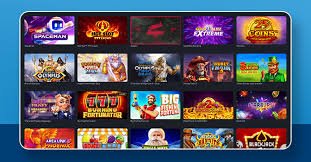
Stream live Baccarat, Roulette and Blackjack tables, or jump into the slots lobby with 800+ titles from your mobile screen.

PKR Deposits & Withdrawals

Fund your account via JazzCash, Easypaisa, Raast, bank transfer or card — all from within the app, all in Pakistani Rupees.

Push Notifications

Get instant alerts for match starts, live score milestones, promotional offers and withdrawal processing updates.

Bet History & Account Dashboard

Review every bet you've placed, track your balance, claim bonuses and manage your personal settings from a clean dashboard.

24/7 Live Chat Support

Contact pkr91 support directly within the app at any time — queries about deposits, withdrawals, bets or account issues.

System Requirements & Compatibility

pkr91 is built to run on the devices most commonly used in Pakistan — no high-end hardware required.

Requirement Android App iOS App Browser
Minimum OS Version Android 6.0+ iOS 13+ Any modern OS
Storage Space ~80 MB ~70 MB None (browser cache)
Internet Connection 3G / 4G / Wi-Fi 3G / 4G / Wi-Fi 3G / 4G / Wi-Fi
Push Notifications Yes Yes No
Live Casino Streaming Yes Yes Yes
PKR Deposits & Withdrawals Yes Yes Yes
JazzCash / Easypaisa Yes Yes Yes
Full Sports Betting Yes Yes Yes
Installation Required Yes (APK) Yes (profile trust) No

The App Experience vs Browser — What's Actually Different

Let's be straight about it: the browser version of pkr91 is genuinely good. You won't miss any features if you choose not to install anything. But the native app does have a few real advantages worth knowing about before you decide.

The biggest difference is push notifications. When you're watching a PSL match and you've got a live bet running, getting an instant alert about a wicket falling or a run-rate change is actually useful — it lets you react without keeping the screen on constantly. With the browser, you'd need to have the tab open to see updates.

The app also tends to load slightly faster on repeat visits because it caches more aggressively. On a patchy 3G connection — which is reality for a lot of players in smaller cities and towns — that difference in load time can matter during live betting when odds are updating quickly.

Finally, the app sits on your home screen. That might sound like a small thing, but having pkr91 one tap away rather than having to open a browser and type in the URL makes a difference when you want to quickly check live cricket odds during a tea break.

That said, if you just want to try pkr91 out before committing storage space, the browser is the perfect starting point. Register your account, make a deposit, place a few bets — and download the app when you decide you want those extra conveniences.

Native App Advantages
  • Push notifications for live match updates and PSL alerts
  • Faster loading on 3G connections due to local caching
  • One-tap home screen access — no browser needed
  • Smoother animations and transitions on-device
  • Withdrawal status alerts land directly on your lock screen
  • Better session persistence — stays logged in across visits
Browser Version Advantages
  • No installation required — zero storage space used
  • Works on any device with a modern browser
  • No APK trust settings to configure
  • Always up to date automatically — no manual updates
  • Full feature parity with the native app
  • Add to Home Screen shortcut in Safari and Chrome for near-app experience

Download & Installation FAQ

Questions our members ask most often about downloading and setting up the pkr91 app.

Yes, completely free. The pkr91 Android APK and iOS app are both available at no cost. There are no subscription fees or charges for downloading. You only put money in when you choose to make a deposit to your betting account.

The pkr91 APK is the official app file distributed directly by the platform. As long as you download it from the official pkr91.app website, it's safe to install. Many legitimate apps in Pakistan are distributed as APKs rather than through the Play Store. After installation, you can turn the "Unknown Sources" setting back off for general security.

This is a standard Android security warning for any APK downloaded outside the Play Store. Tap "Keep Anyway" or "Download Anyway" when prompted. Then go to Settings → Security → enable "Install from Unknown Sources" for your browser app. After that, tap the downloaded APK file to install it normally.

Yes. pkr91 is specifically designed to run well on affordable Android devices common in Pakistan — including Tecno, Itel, Infinix, Vivo and Samsung's budget lineup. As long as you're running Android 6.0 or higher and have a 3G or 4G connection, the app performs well. Sports betting and casino games both run smoothly without needing a high-end processor.

Absolutely. Open pkr91.app in Chrome, Safari or any modern mobile browser and you have full access to sports betting, live casino, deposits, withdrawals and your account dashboard — no app download required. If you use Safari on iPhone, you can add the site to your home screen as a shortcut for easy one-tap access.

For Android, you'll either receive an in-app notification prompting you to download the latest APK, or you can check the Download page on pkr91.app and download the newest version manually. For iOS, updates come through the same installation channel you used originally. If you use the browser version, updates happen automatically — no action needed on your part.

Ready to Get Started on pkr91?

Create your account, download the app or open the browser version — whichever suits you. Cricket betting, PSL odds and live casino are all one tap away.

18+ only. Play responsibly. Betting involves risk.